
Journal
Portfolio Website — Built with AI
How I turned a design idea into a working website using Codex, basic HTML knowledge, and plenty of iteration.
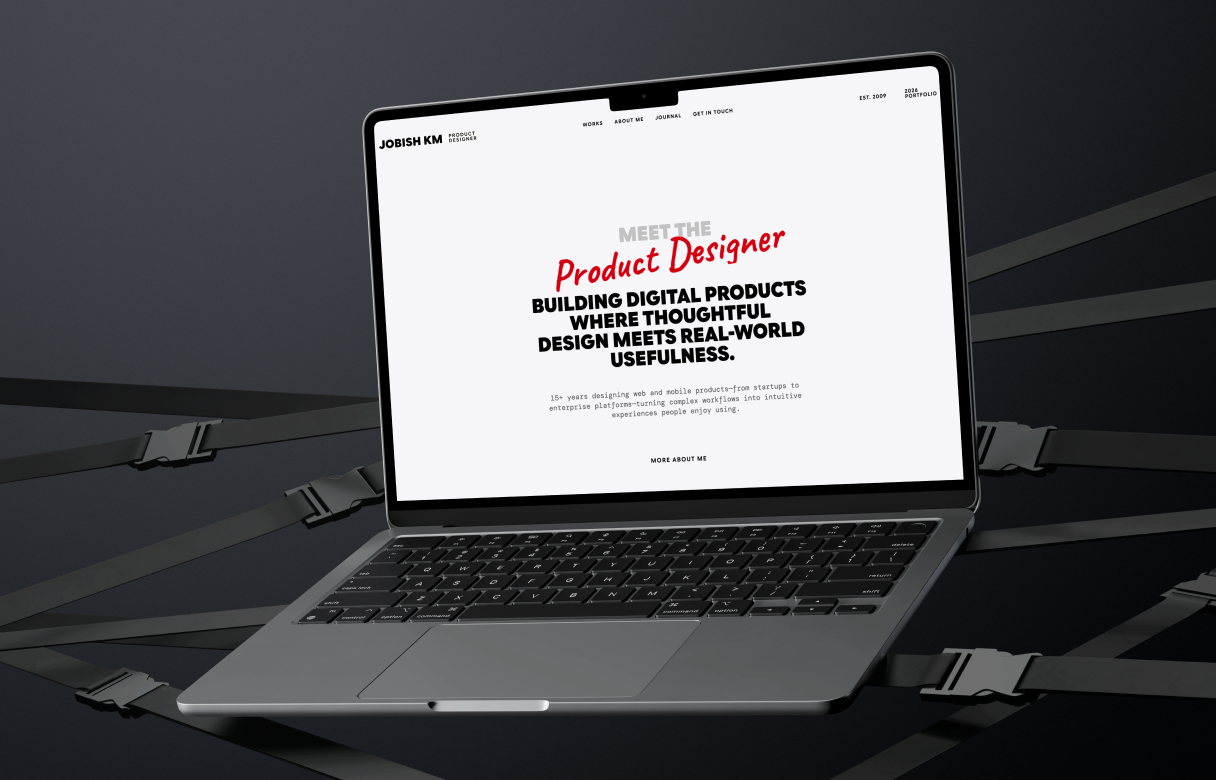
I have been designing digital products for more than 15 years, but bringing those designs to life has usually involved handing them over to a development team. I understand the fundamentals of HTML and CSS, but I am not an experienced front-end developer.
For this portfolio redesign, I wanted to try something different: design and build the entire website myself with the help of AI.
Why I redesigned my portfolio
My previous portfolio showcased my work, but I wanted the new version to feel more personal and better represent where I am today as a Product Designer.
I chose a vintage, newspaper-inspired visual direction—something editorial, text-focused and timeless. At the same time, the experience needed to remain modern, responsive and easy to navigate.
The website uses a 12-column grid, strong typography, generous whitespace and subtle visual details. I built the design system around Google Sans Flex, DM Mono and Caveat, with a minimal colour palette that keeps the focus on the work.
From design to development
I started with the part I knew best: design.
I planned the visual direction, page structure, grid, typography, spacing and responsive behaviour. Once the foundation was clear, I used Codex to help translate those decisions into a working HTML website.
Instead of asking AI to “create a portfolio,” I provided detailed instructions for each section. I specified column widths, gutter spacing, font styles, colours, alignment and expected responsive behaviour. Codex generated the code, and I reviewed the result directly in the browser.
The process became a continuous loop:
Design → Explain → Build → Test → Refine
Some sections worked well on the first attempt. Others required several rounds of adjustment. When something was visually incorrect, I had to describe the problem clearly, understand what was happening in the code and guide Codex towards the right solution.
What AI did well
AI helped me move from a static design to a functional website much faster than I could have done alone.
It was especially useful for:
- Creating the initial HTML and CSS structure
- Building responsive layouts
- Maintaining repeated styles across pages
- Updating components and interactions
- Identifying and fixing implementation issues
- Making small design refinements quickly
It reduced the technical barrier between my design and the final product. I could focus more on the experience I wanted to create while using AI to support the implementation.
What I learned
The biggest lesson was that AI still needs clear direction.
A vague prompt produces a generic result. The more specific I became about the design system, layout and expected behaviour, the closer the output came to my original vision.
I also learned that AI-generated code should not be accepted without review. Every page still needed to be tested across different screen sizes. Spacing, typography, responsiveness and interactions required careful visual checking and refinement.
My design experience played an important role throughout the process. AI could generate the code, but decisions about hierarchy, usability, consistency and visual quality still came from me.
AI as a creative partner
This project did not turn me into a full-time developer—and that was never the goal.
Instead, it showed me how AI can help designers take greater ownership of what they create. I was able to move beyond a prototype and build something real, functional and accessible on the web.
The website is still the result of my ideas, design decisions and attention to detail. AI became the tool that helped me execute those decisions.
For me, that is the most exciting part of AI-assisted development: it does not replace the design process. It shortens the distance between an idea and a working product.
This portfolio is my first major step in that direction—and the beginning of many more experiments I plan to share through this Journal.